
Streamers · Formats · Just Chatting
Just Chatting stream ideas that get your chat talking
A Just Chatting stream holds up when chat always has something to answer. Prepare a thread for the night, ask open questions, greet every new name personally and break your stream into segments: question of the day, tier list, web review, Q&A. Avoid silences, yes-or-no questions and monologues. A LiveGotchi creature on your overlay becomes your co-host: it lights up at every viewer's first message, and some react to "salut" or "o/".
- Chat talks when it has something to hold on to: an open question beats a long story.
- A theme announced in your title gives people a reason to stay, and to come back next week.
- Short segments (tier list, web review, Q&A) restart the conversation when it dips.
- Silence and yes-or-no questions kill a Just Chatting stream faster than a blurry camera.
- A creature on your overlay welcomes newcomers and reacts to chat's words while you talk.
What makes a good Just Chatting stream?
In Just Chatting, there's no game to fill the gaps: the content is the conversation. People who stay aren't there for a topic, they're there for you and for the atmosphere chat creates. Your role is close to a late-night radio host's: you throw out topics, hand over the mic and bounce off what comes back.
The classic trap is talking to yourself. You recount your day for twenty minutes, chat listens politely, then drifts off. On the other hand, a well-asked question turns ten silent viewers into ten people with an opinion.
And a good Just Chatting stream has a shape. Even when it's laid-back, it has a beginning (the welcome), a middle (your segments) and an end (your closing ritual). That shape reassures regulars and shows newcomers how to take part.
Which Just Chatting stream ideas actually work?
Which segments restart the conversation?
- Question of the day: a single question, on screen from the start. "What's the worst job you've ever had?" can fill an hour.
- Tier lists: rank snacks, childhood films or your channel's emotes. Chat disputes every placement, and that's the whole point.
- Web review: short videos, articles, gems you found during the week. Make sure you're allowed to show what you show.
- Q&A: an AMA where chat can ask (almost) anything, or an advice night where you answer their problems.
- "While I do this": cooking, building furniture, drawing, tidying your desk. Busy hands free up the conversation.
- Clip review: your own content, so far fewer rights issues, and shared memories with your regulars.
How do you welcome newcomers in chat?
Greet every new name personally, not with a generic "welcome everyone". Ask them something simple ("where are you from?") and come back to them a little later. A newcomer who's been recognised once has a good reason to return.
For quiet viewers, set up a !lurk command: they signal they're around without having to talk, and you thank them in a word. Not everyone wants to type, and that's perfectly fine.
Which rituals make people come back?
- A fixed slot: same day, same time, same theme. "Thursday debate night" is easier to remember than a random stream.
- A running joke: a phrase, a sound, an emote that only lives in your community.
- A closing ritual: the best messages of the night, a thank-you to subs, then a raid to another channel.
Which mistakes drive chat away in Just Chatting?
- Silence. A few seconds without talking feel long to someone who just arrived. Keep a list of backup topics at hand.
- Closed questions. "How's everyone?" gets a "good". "What's the best thing that happened to you this week?" gets a story.
- Reading chat without answering. You scroll through messages in silence, and chat feels like it's talking to a wall.
- Always answering the same people. Regulars are precious, but an ignored newcomer doesn't come back.
- Debates without rules. A divisive topic can light chat up for better or worse: set the frame and let your mods act.
To grow your channel beyond these rituals, our guide on how to get more viewers on Twitch covers the whole picture.
What are the best OBS settings for Just Chatting?
- Your voice first: in Just Chatting, people forgive an average picture, not crackling audio. On your mic source, a Noise Suppression filter followed by a Compressor is often enough.
- Front-facing framing at eye level, with soft light in front of you rather than behind.
- Chat on screen, so fullscreen viewers can follow the conversation.
- One scene per segment: camera up large for talking, web review with your camera as a picture-in-picture, a break scene with a clear message.
- The question of the day as a Text source, visible throughout the stream.
- The LiveGotchi overlay as a browser source, set up by the free OBS script.
What about a creature on your overlay?
LiveGotchi puts a small pixel art creature on your OBS overlay. It reacts to chat, only grows while you're live, and evolves based on what your community does. In Just Chatting, it becomes your co-host: the one reacting while you talk.
What it does during a conversation, with the default settings:
- A viewer's first message makes it happy for a few seconds. Your personal greeting and its on-screen reaction answer each other.
- Words and emojis chosen by its creator make it play an emotion. An emotion triggered that way lasts eight seconds, the same one can't replay within twenty seconds, and six at most fire per minute.
- A chat command, meaning a message starting with "!", makes it jump: your
!lurkregulars no longer go unnoticed. - With obs-websocket connected, the sound OBS picks up (your voice, in Just Chatting) feeds a little of its mana and precision: talking to chat keeps it going.
- When its mana drops, it turns sad and a bubble says so above its head: that's your cue to turn to chat and welcome the newcomers.

Siam, by Croquette8, is a Siamese cat "as chatty as its chat". It reacts to 😂, 👏, ❤️, "gg" and "miaou", among others: enough to start a house greeting ritual. For hellos, other creatures carry welcome triggers: Noisel, the squirrel by Bourg12, reacts to "salut" and 👋, and Goupil, the fox cub by Lueur64, to "o/".
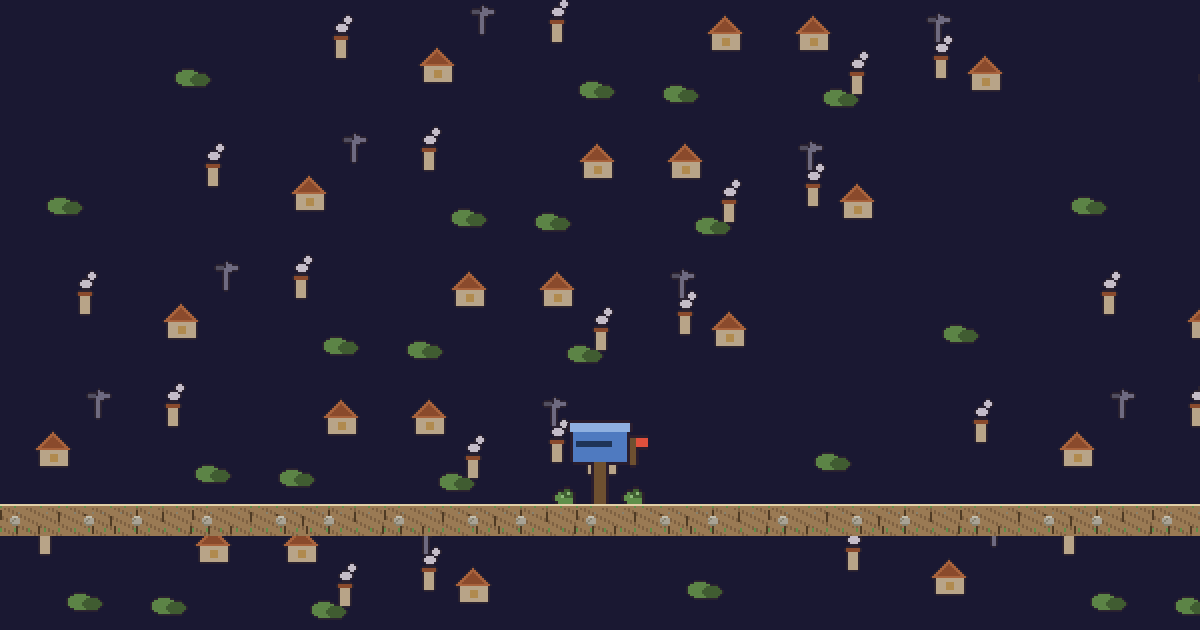
Courrier, by Bourg12, is a decor item built for conversation: as soon as chat passes six messages a minute, the mailbox flag pops up and letters pile into the slot. For very chatty nights, Bouilloire, by Plaid7, starts whistling when the conversation really gets going.
Croquette8, Bourg12, Lueur64 and Plaid7 are pen names of the LiveGotchi studio, which drew the launch collection and what came after. The rest is in the directory. If your conversations happen controller in hand, the cozy gaming stream guide builds on this one.
Frequently asked questions
What should you talk about on a Just Chatting stream?
A theme announced in your title, then open questions to chat. Short segments restart the conversation: question of the day, tier list, web review, Q&A, or a hands-on activity while you talk.
How do you get a silent chat talking?
Ask open questions, greet every newcomer by name and give people an easy way to take part, like a poll or a !lurk command. Chat opens up more easily once someone has already been recognised on screen.
Do you need a camera for Just Chatting?
It's the norm in the category, because people come for the person. Audio still comes first: a clear voice matters more than a perfect picture.
Does the LiveGotchi creature react to what I say?
It doesn't understand your words. With obs-websocket connected, the sound OBS picks up feeds a little of its mana and precision; its emotions come from chat messages and stream events.
How do you make the creature react when someone says hello?
Pick a creature whose creator added welcome triggers, like "salut", 👋 or "o/". The list appears on each creation's page, under "What wakes it up"; the emotion they trigger stays a surprise.