
Streamers · Twitch · Growth
How to get more viewers on Twitch in 2026
To get more viewers on Twitch in 2026, five levers matter more than your gear: a fixed schedule you actually keep, a category where people can see you, with a title that says what is happening right now, a chat you greet by name and that has its own rituals, a presence outside your own channel (raids, co-streams, vertical clips) and your Stream Summary, read every week to see who comes back. Discovery brings people in; the part they get to play in your stream is what makes them stay.
Why your first viewers are the hardest to get
Going live is not the same as being seen. In a big category, you have to scroll a long way down the directory before you reach a channel with three viewers, so a stranger is very unlikely to land on yours by chance.
Growing a small channel means working on two fronts at once:
- getting found: the right category, a title with a hook, raids, collabs, clips that travel on TikTok, YouTube Shorts or Instagram Reels;
- getting remembered: someone who drops in understands at a glance what is going on, finds a place in chat, and leaves with a reason to come back.
The first concrete milestone is still Affiliate, and the bar dropped in early June 2026: 25 followers, four hours live across four different days, and an average of at least three concurrent viewers on four different days. The other big change this year: since May 13, 2026, Channel Points, emotes, badges, subs and Bits have been open to every eligible channel, without waiting for Affiliate (Twitch, Monetization for All). The tools that get chat involved are there from your very first stream.
1. Keep a streaming schedule you can hold
Consistency is the least exciting lever and the most reliable one. Someone who enjoyed your Tuesday stream should know, without looking it up, that you will be back on Thursday.
- Pick slots you can hold for months, not three weeks. Three nights you keep beat six you announce and cancel.
- Post them everywhere: your Twitch schedule, a panel under the stream, Discord, your socials.
- Start at the same time. A few minutes of "starting soon" screen gives notifications time to bring your followers in before the real start.
- End with the next date: "Thursday 8 pm, we finish the boss and chat picks the build." A precise date sticks better than "see you soon".
2. Pick your niche and your Twitch category, cozy included
Aim for a category where you show up
Before starting a game, open its category and scroll through the live channels. If a channel your size only appears after hundreds of others, nobody will find you there. Look for games where channels with a handful of viewers are still visible on the first screens: a recent release that is not huge, a classic with a loyal community, a niche genre.
Just Chatting is rarely the place to start: the category is enormous, a small channel drowns in it, and the name says nothing about what you offer.
A niche is a game, an angle and a vibe
"I play games" is not a niche. "2000s platformer speedruns" or "cozy Sunday mornings, coffee and farming games": those are promises a viewer gets instantly, and tells friends about.
Cozy streams live on their vibe
Cozy streaming (farming, decorating and puzzle games, soft music, a kind chat) draws people who come for the atmosphere as much as for the game. Many keep it on in the background while they work or unwind: they lurk, and come back for the ritual. The promise is kept in the details: the same warm lighting, the same playlist, the same slow pace, a moderated chat where nobody gets roasted. One stream spent raging into the mic and the vibe is gone.
Tags
Twitch lets you add up to ten custom tags per stream (Twitch Help, tags). Add your language ("English"), your vibe ("Cozy"), your format ("Speedrun", "Coop", "Blind"): words viewers actually search for or filter by.
3. Write a stream title people want to click
Your title is your shop window in the directory. "Chill stream!!" says nothing. A good title says what is happening right now and what chat can do about it:
- "Deathless run, attempt 14: chat picks my weapons"
- "Cozy Sunday: finishing the farm, vote for the next building"
- "First blind run, no spoilers in chat please"
Change it when the stream changes, and update the category as soon as you switch games: someone who arrives from one category and lands on something else leaves straight away. In May 2026, Twitch also announced mid-stream notifications, sent when you change games or when a guest joins (Twitch blog, TwitchCon Rotterdam 2026).
4. How to get your Twitch chat talking
Say every name
On a small stream, every message counts. Say the name, answer the actual question, follow up with another one: "Hey Lila! Do you know this game or is it your first time?" Someone you name feels seen; someone you ignore closes the tab.
When nobody is typing, keep talking. Explain your choices, think out loud, say what you are trying: lurkers are watching, and a silent stream gives nobody a reason to send the first message.
Chat rituals your community owns
A ritual turns strangers into regulars, because it gives everyone a line to say:
- a welcome emote chat spams every time someone arrives;
- a group "gg" at every boss, an "F" at every death;
- a death counter (
!deaths) that chat pushes up; - a question of the day, asked right at the start;
- an end ritual: chat votes for the channel to raid.
The best rituals usually start as a chat joke. When a line comes back three streams in a row, turn it into a command or an emote.
Commands, Channel Points, polls and predictions
- Commands from a chat bot (Nightbot, StreamElements…) answer the questions that keep coming back:
!schedule,!discord,!setup. You keep your voice for the conversation. - Channel Points, open to every eligible channel since May 2026, work best when the reward changes the stream: pick the next song, add a challenge for ten minutes, name the next character.
- Polls and predictions let chat vote on what happens next. "Left or right?", "Does he beat the boss first try?": a few seconds of effort for the viewer, real stakes on screen. Even lurkers, who watch without typing, can join in.
5. Welcome new viewers like regulars
Twitch highlights the first message someone sends in your chat. The highlight is only visible to you and your mods, and needs no setup (Twitch Help, first-time chatter highlight). That is the moment not to miss:
- Greet them by name, right away.
- Sum things up in one sentence: "We are trying the final boss, chat is betting on how many attempts."
- Offer one simple action: a command to type, a vote in progress.
- Do not put them on the spot: no "why aren't you following?".
Set up a !live command that introduces the channel in two lines, and bring in mods early: trusted regulars who greet people, answer questions and calm chat down while you focus. Twitch has also announced a summary of the stream so far for viewers who join midway, so they can catch up without feeling lost.
6. Raids, shoutouts and co-streams: get your name out
The end-of-stream raid
Type /raid followed by a channel name: everyone connected to your chat goes with you, and Twitch suggests doing it at the end of your broadcast (Twitch Help, raids). Raiding a channel of similar size in your niche builds real connections: the streamer remembers it, and your viewers discover someone new. Introduce the channel in two sentences before you go, and ask chat to say hi when they land.
When you are the one getting raided: thank the raider by name, sum up what is going on, and give them a shoutout.
The shoutout
/shoutout followed by a channel name shows a card that invites your chat to follow that channel. You can use it once every two minutes while live, and the same channel can only get one per hour (Twitch Help, shoutouts).
Co-streams, Shared Chat and events
Stream Together, Twitch's co-streaming tool, brings several live channels together. The host can turn on Shared Chat, which is off by default, so every community talks in one single chat (Twitch Help, Shared Chat). A co-op night, a streamer tournament, a shared challenge: your viewers discover another channel, and theirs discover yours.
Events work too, like a subathon (the stream gets longer with every sub) or a channel anniversary: they give people a date to remember and a shared goal.
7. Clips, Shorts and Reels: get discovered off Twitch
A vertical clip travels where your future viewers already spend their time: TikTok, YouTube Shorts, Instagram Reels, and the discovery feed in the Twitch mobile app.
- Get chat clipping. Say it out loud when a moment deserves to be kept: a chat that clips is working for you.
- Let Twitch do part of the work. Announced at TwitchCon Rotterdam in May 2026, Auto Clips (in beta) cut captioned highlights based on chat activity, the tone of your voice and what happens on screen, already in vertical format. Announced at the same time: Dual Format, which streams in horizontal and vertical simultaneously, for a real full screen on phones.
- A good short clip hooks in the first seconds, makes sense on mute thanks to captions, and ends with the next date: "live Thursday 8 pm".
8. Make your stream interactive with a living overlay
A static overlay dresses up the stream; an overlay that reacts shows every viewer that what they do changes the screen. There is no shortage of options: follow, sub and raid alerts, goal bars, emote walls, sounds triggered by Channel Points, chat mini-games, an animated mascot. The rule is always the same: one chat action, one visible response, fast enough for the person to connect the two.
An example: a LiveGotchi creature on your overlay
LiveGotchi is one of those options: a pixel art creature that lives on your OBS overlay and that your chat raises. What it does is written in its code:
- A viewer's first message: by default, it looks happy for four seconds. It is a visual cue to greet the right person.
- An emote storm (at least four emote-heavy messages within ten seconds): it starts dancing.
- A raid, once Twitch is linked: by default, it gets excited and dances for ten seconds, right in front of the people arriving.
- Words and emojis picked by the egg's creator: it plays the matching emotion for eight seconds. Two safeguards stop it from flickering when chat pops off: the same emotion cannot replay within twenty seconds, and no more than six moods can go off per minute.
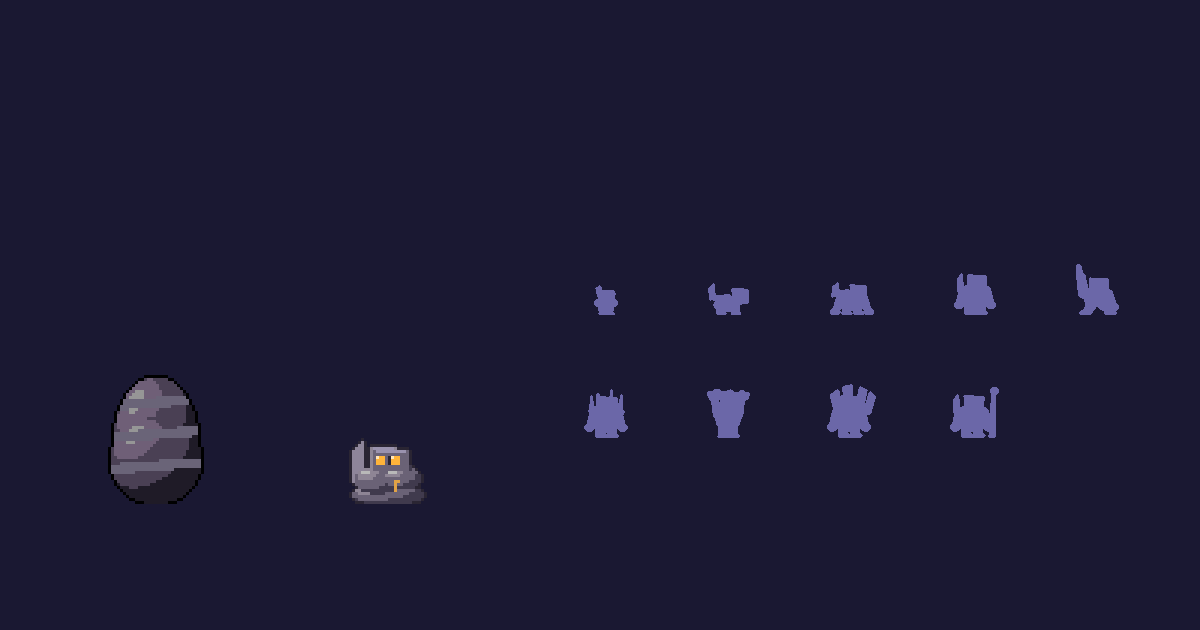
Karst, by Filon9: its page lists twenty-three keys that wake it up, including "gg", "rip", ⛏️ and 💎. The group "gg" after a boss becomes a moment on screen.
Above all, the creature only grows while you are live, and its evolutions ask for things only a community can do.
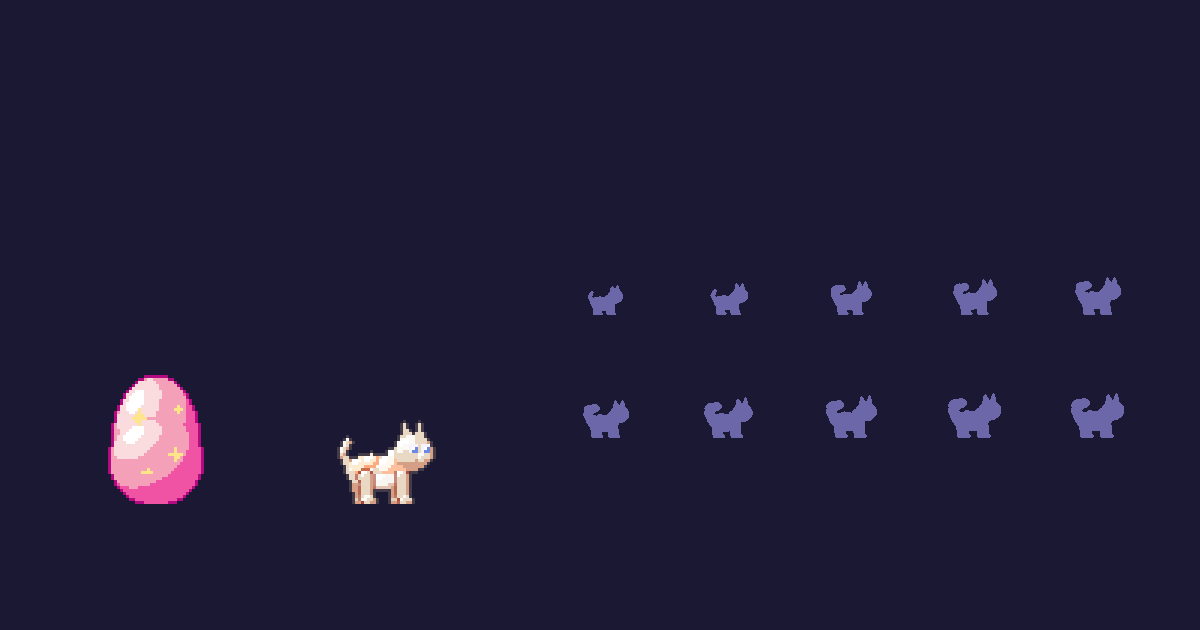
Mistigri, by Croquette8: an angora cat made for a cozy stream. Its tree asks, among other things, for twelve hours on air and nine hundred messages, then eighteen hours and fifty follows, then twenty hours and three raids. The "What it is waiting for" widget shows the goals to reach live on the overlay: chat sees what is left to do together, and comes back to see what happens next.
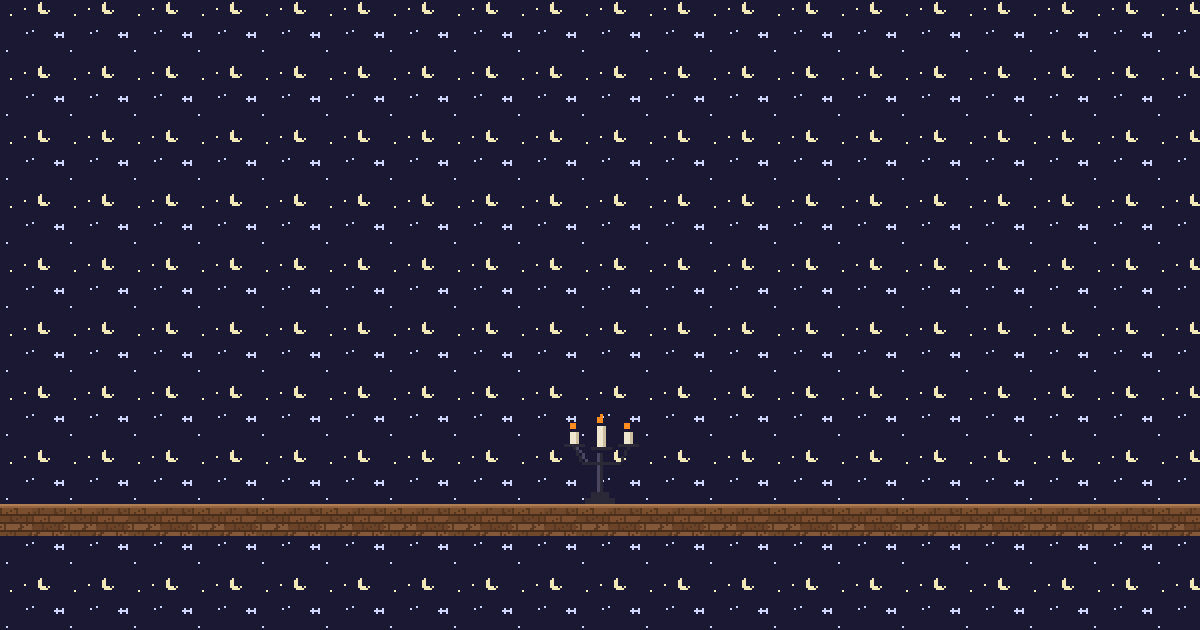
Scenery reacts too. The flames of Bougeoir, by Nyctale, grow and throw sparks when the pace of chat picks up.
To be clear: LiveGotchi is in closed beta, signing up is free and access opens in waves; some eggs are free, others cost credits. Without linking anything, chat messages already feed the creature; linked to Twitch with a six-letter code, it also hears follows, subs, raids and the hype train. The appointment idea is covered in Bring your Twitch chat back every stream, and the creature's reactions in What your creature does when chat pops off. Everything else is on the LiveGotchi for streamers page.
9. Read your Twitch analytics to see who comes back
It all lives in your Creator Dashboard analytics, starting with the Stream Summary, available after every stream (Twitch Help, Stream Summary). It compares the stream with the previous one (viewers, followers, chatters), shows the moments that brought the most follows and subs, when clips were created, and where your viewers came from. It also lists your most-viewed clips, ready to export to TikTok and YouTube.
The most useful panel for growth is New and Returning Viewership. Twitch counts an "engaged" viewer as someone logged in who watched for at least five minutes; a new one becomes returning if they come back within three years.
A simple routine, once a week:
- Write down three numbers: average viewers, returning engaged viewers, number of chatters.
- Check where new people came from: raid, clip, notification, category. Do more of what works.
- Spot the moment viewers dropped off, and what was on screen at that point.
- Change one thing at a time (the slot, the game, the title) so you know what made the difference.
Compare week to week, never a single stream: a night with a big match or a major game release skews everything.
What wastes your time, and sometimes your channel
- Viewbots, bought follows, "follow for follow" or "lurk for lurk" swaps: Twitch treats them as fake engagement, with penalties up to an indefinite suspension (Twitch Help, fake engagement). And a fake viewer never chats.
- Dropping your channel link in other people's chats: the fastest way to get banned from the communities where you could have made friends.
- Changing your schedule, game and name every week: nobody gets attached to something that keeps moving.
Frequently asked questions
How long does it take to get viewers on Twitch?
There is no guaranteed timeline. What actually speeds things up: keeping a schedule, picking a category where you show up, raiding at the end of your streams and posting vertical clips every week. A concrete milestone: since June 2026, Affiliate asks for 25 followers, four hours live across four different days and an average of at least three concurrent viewers on four different days.
Do you need to stream every day to grow on Twitch?
No. A few fixed slots kept for months beat daily streams abandoned after three weeks. Consistency matters more than volume: your viewers should be able to predict when you will be live.
What category should a small streamer pick?
One where a channel your size shows up on the first screens of the live directory. A niche game, a classic with a loyal community or a well-kept cozy vibe beat a huge game where you would be invisible.
What should you do when nobody is typing in chat?
Keep talking as if someone is listening, because someone often is: lurkers watch without typing. Explain your choices, ask a simple question, start a poll or a Channel Points reward.
Do raids really help you get more viewers?
Yes, especially between channels of similar size in the same niche. A raid introduces your community to someone, and the raided streamer has a good reason to return the favour. Raid at the end of your stream, introduce the channel before you go, and always thank the people who raid you.
How do you make a Twitch stream more interactive?
Give chat actions that change the screen: Channel Points rewards, polls and predictions, commands, rituals, and an overlay that reacts to messages, emotes and raids. An alert, an emote wall or a LiveGotchi creature: what matters is that every chat action gets a visible response.
Sources
- Twitch, Monetization for All, May 13, 2026: tools opened to every eligible channel, new Affiliate criteria.
- Twitch, Everything we announced at TwitchCon Rotterdam 2026, May 30, 2026: Dual Format, Auto Clips, mid-stream notifications, stream summary for viewers.
- Twitch Help: Stream Summary, raids, shoutouts, Shared Chat, tags, first-time chatter highlight, fake engagement.