
Streamers · Seasons · Christmas
Christmas Stream Ideas: An Advent Calendar Your Chat Opens
A Christmas stream that works is an appointment chat looks forward to: a live advent calendar, one door per day or per stream, with a small surprise behind each one. Add a ritual where the community gives things to each other — gift subs, drawings, a challenge — warm winter decor instead of blinking lights, and a pace you can actually keep until December 24 without burning out.
- A calendar you can keep: twenty-four doors, or just one per stream. Twelve promises kept beat twenty-four half-kept.
- Gifts that move around chat, not only toward you.
- A cozy vibe: warm light, a crackling fire, a garland that lights up at the right moment.
- Nights for people who are alone: the stream on the 24th or 25th matters more than you'd think.
How do you run an advent calendar stream?
The idea fits in one sentence: every day in December (or every stream), you open a door, and there's something behind each one. That "something" is what brings people back.
What you can hide behind a door:
- A game chosen by chat, voted on the day before.
- A challenge: beat a level blindfolded, talk in chat's chosen accent for ten minutes, draw the channel mascot live.
- A guest: a streamer friend for an hour of co-op or conversation.
- A community moment: reading the best messages of the year, a quiz on the channel's greatest moments.
- A giveaway, if you run them: write the rules down, and follow both Twitch's rules and your local law on giveaways.
Three ways to open the door, from simplest to most interactive:
- You open it at the start of the stream: that's the appointment, and it starts on time.
- Chat picks the number from the remaining doors with a poll. The suspense lasts all day.
- Chat opens it with channel points: an "Open today's door" redeem, limited to the first person who grabs it. They become the elf of the day.
No time for twenty-four streams? Do "one door per stream," or stick to the four Advent Sundays. The ritual matters more than the frequency.
How do you get the community involved in gifting?
At Christmas, chat wants to give. The best ritual is the one where the gifts don't all go to you.
- The gift sub shower. When a viewer gifts subs to others, stop, thank them out loud and let chat celebrate. It's a clip waiting to happen.
- Chat's Secret Santa. Each volunteer is matched with another community member and makes them a digital gift: a drawing, a playlist, a short piece of writing. Reveal them all live on the 23rd. And never share mailing addresses in public.
- The ugly sweater contest. Worn on camera or drawn, voted on by chat. Nobody wins anything; everybody laughs.
- The charity stream. A donation goal for a charity, announced in advance, with milestones that unlock challenges. Pick an organization you know, and say clearly where the money goes.
- The wish wall. A channel point redeem to write your wish for the year, read live on the last stream before Christmas.
How do you decorate your overlay for Christmas?
The garland that blinks for four hours is the cliché, and mostly it's tiring on the eyes. What works in December is warmth.
- Warm light: a fire, a candle, a lamp. The cold can stay outside, behind a window or in a northern sky.
- Objects that react at the right moment: a garland that lights up on each sub tells a story; a garland that never stops blinking stops being seen.
- A quiet floor and background: floorboards, flagstones, a fogged-up window. The game has to stay readable.
Think about photosensitive viewers too: no fast flashing, not even the festive kind.
When should you prepare your December streams?
Christmas 2026 falls on a Friday, and December 1 on a Tuesday. If you want an advent calendar, November is when it all happens.
- Early November: choose the format (twenty-four doors, one per stream, or Sundays only) and the list of surprises. Reach out to guests.
- Mid-November: create the channel point redeems and the giveaway rules, if you have one. Plan a few backup doors for low-energy days.
- Last week of November: set up the winter decor, announce the calendar on your socials and in your title, swap the banner.
- December 1: first door, at the announced time.
- Before the 20th: announce your holiday days off. A clear schedule beats a stream canceled at the last minute.
Twitch also dressed up the 2025 holidays with its own event, Holiday Hoopla, built around Shared Chat and group streams. Watch the Twitch blog in late November.
What mistakes should you avoid on Christmas streams?
- Promising twenty-four streams and crashing on December 9. The calendar stops, and the letdown is worse than having no calendar at all.
- Copyrighted Christmas music. Holiday hits in the background can get your VOD and clips muted. Use royalty-free music, or sing yourself: off-key karaoke is a genre of its own.
- A giveaway without rules. Who can enter, how you win, when the winner is picked: if it isn't written down, it ends in an argument.
- Addresses in public. For anything physical, use private messages, never public chat.
- Forgetting the people who are alone. On the evening of the 24th or 25th, some viewers only have your stream. A calm stream with no goal gives them an evening.
What about a creature in your overlay?
Let's start with what doesn't exist: the LiveGotchi collection has no Santa, no reindeer and no decorated Christmas tree to put on the floor yet. What it does have is everything you need for a warm winter night. The launch collection and its series were drawn by LiveGotchi under creator pseudonyms.
The closest thing to Christmas is Plaid7: a wooden cabin in the rain, a roaring stove, blankets and hot chocolate.
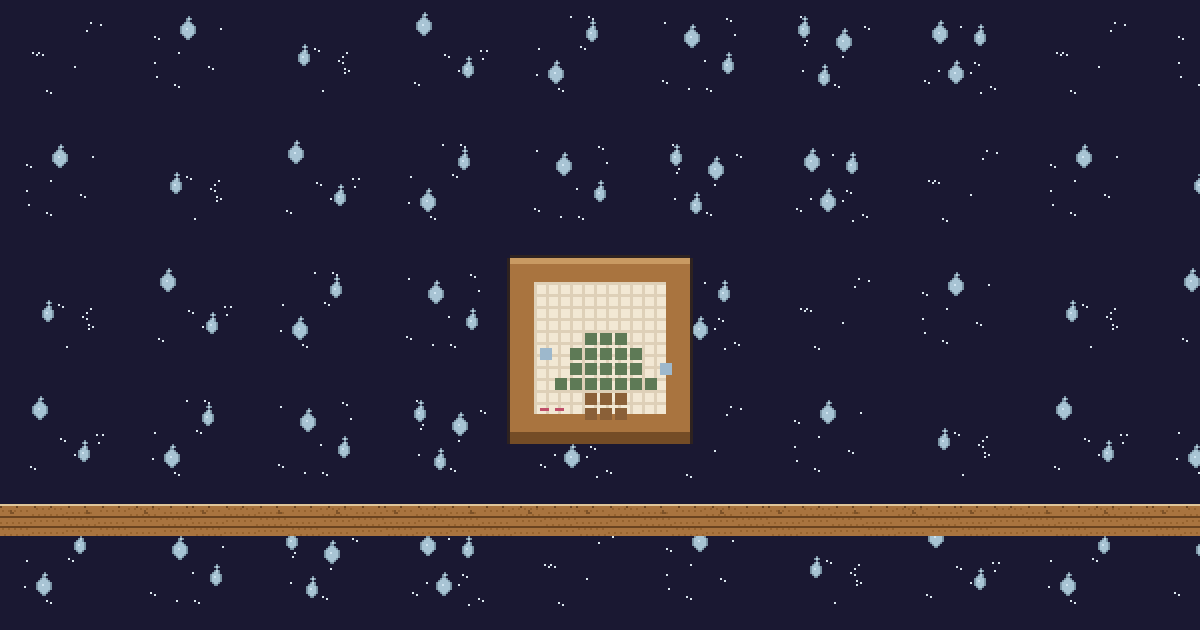
Canevas, by Plaid7 — a cross-stitch piece in a wooden frame. When energy (bits and donations) passes its threshold, the empty squares fill from the bottom up and the fir tree gets finished in front of chat, then the stitching starts over. It's the closest thing to a Christmas tree in the collection, and chat has to earn it.
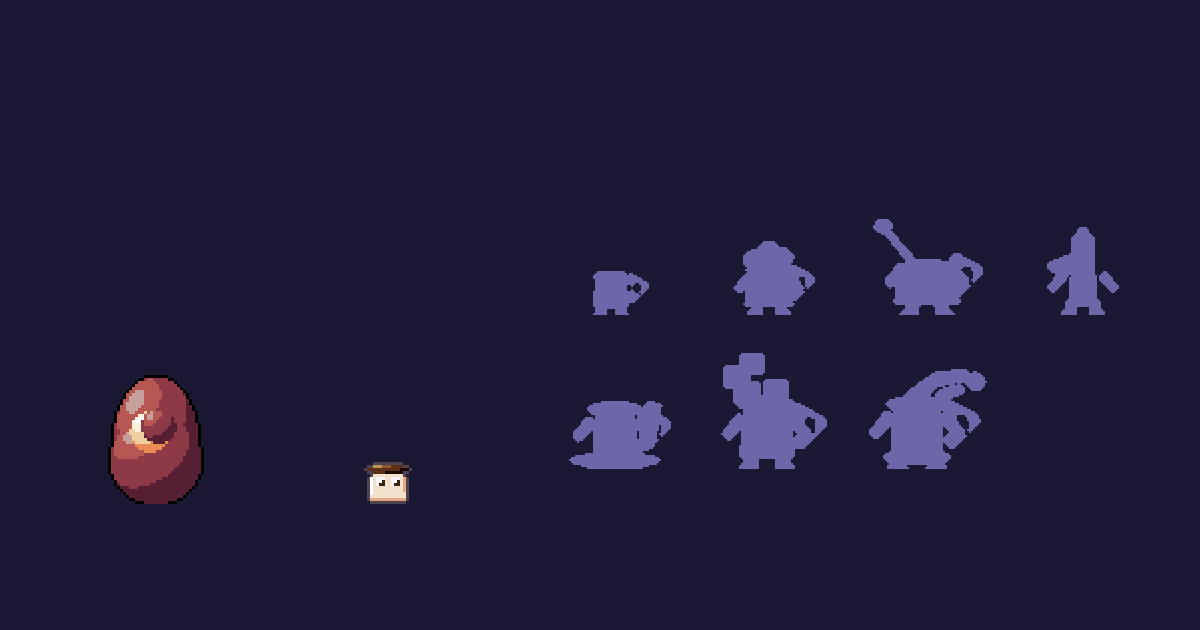
Tassou, by Plaid7 — a mug of hot chocolate that grows legs, tops itself with whipped cream, then turns into honey, marshmallow or an ember-hot sip depending on the evenings spent on air. Its keys include ☕, "choco" and ❤️.
Around them, the cabin and its neighbors:
- Decorations that react: Croisee, the window whose garland lights up bulb by bulb on each sub; Chaufferette, a stove whose flame jumps when chat pops off; Photophore, a candle that crackles on each follow; Bouilloire, a kettle that whistles when the conversation really takes off.
- Winter creatures: Tricotin, the ball of yarn that becomes a beanie, mittens or a whole sweater; Marmouf, the marmot under its blanket; Ululot, the owl behind the fogged-up window; and Kibo, Croquette8's shiba, one of whose paths ends with it sitting on a snowdrift.
- The cold, outside: from Noclip9, the Glacis floor under packed snow and the Draperie sky, with snowflakes and an aurora. From Lueur64, the little Tortillard train pulls away when two hundred energy arrives in one go, and the Kiosque bandstand lights its lanterns when chat talks fast.
What it changes for your December streams:
- Each decoration counts its event family — follows, chat pace, energy, subs or raids — and plays at its threshold. A gift sub shower lights up the window; a donation moves the embroidery forward.
- The creature reads chat: it plays a key's emotion for eight seconds, and never the same emotion twice within twenty seconds.
- Hours on air make it grow: a December of advent calendar streams adds hours that bring the next evolution closer.
Everything goes into the Scene tab of the Stream page, and everything comes back out in January the same way. If you already dressed up your overlay for Halloween, it's the same move.
Frequently asked questions
How do you do an advent calendar on stream?
Prepare a list of surprises — a game picked by chat, a challenge, a guest, a quiz — and open one door per day or per stream, at a fixed time. Chat can pick the number with a poll or open the door with channel points.
Do you have to stream every day in December?
No. A "one door per stream" calendar, or one limited to the Advent Sundays, works just as well, as long as the appointment is announced and kept. Fewer doors beat canceled ones.
Can you play Christmas music on stream?
Copyrighted songs put your VOD and clips at risk of being muted. Royalty-free music, or your own singing, avoids the problem.
How do you organize a gift exchange with your community?
Keep it digital: drawings, playlists, short texts, revealed live. For anything physical, addresses go through private messages, never public chat.
Does a LiveGotchi creature celebrate Christmas?
Not on its own: it doesn't know the date. But the collection's winter decorations — the fir tree embroidery, the garland window, the stove, the candle — react to your stream, and you set them up for the season in the Scene tab.