
Streamers · Formats · Study with me
Study with me streams: how to host live coworking
A study with me stream works because people get more done with company: your audience comes to work alongside you, not to watch you. Split the session into cycles shown on screen (work, then break), keep chat quiet during work and turn every break into a reunion: goals shared, progress posted, small wins celebrated. A soft vibe and a readable timer do the rest. A LiveGotchi creature on your overlay keeps watch with you, and it's at the break, when chat starts talking again, that it really wakes up.
- The whole idea is presence: people work better when someone works with them.
- The on-screen timer structures everything: quiet during work, chat during breaks.
- Goals shared at the start and checked at the end give chat a reason to stay.
- Alerts, music and notifications stay discreet during work blocks.
- A lo-fi creature on your overlay keeps long sessions company and reacts to chat's breaks.
What is a study with me stream?
A study with me stream, or live coworking, shows someone studying or working, often for long hours, with a camera on their desk and a timer on screen. Twitch has a category for it, Co-working & Studying. The audience isn't there for a show: it's there to work at the same time, with the feeling of not being alone with its revision.
This is sometimes called "body doubling": the simple presence of another focused person helps you get started and keep going. Your role is to be that presence, steady and reassuring, and to organise time for everyone.
How do you pace a live work session?
Which work cycle should you choose?
The Pomodoro technique alternates work blocks with short breaks. On Twitch, many study with me streams use longer blocks than the classic Pomodoro, with cycles of fifty minutes of work and ten of break, for example. Pick a rhythm you can actually hold, put it in your title and keep it from stream to stream: regulars plan around it.
How do you involve chat without distracting it?
- Opening goals: everyone writes what they want to get done today. A command like
!goalcan log and display those tasks. - Check-in at every break: "where are you at?". Everyone shares some progress, even small, and you acknowledge it.
- Win of the day: someone finishes a chapter, passes an exam, hands in an assignment? Celebrate it on the mic; it's the warmest moment of the stream.
- Silence during work: a clear rule, repeated by your mods, so chat doesn't turn into a distraction.
Which rituals make people come back?
- The opener: your own plan for the day, read out loud, and the first timer started together.
- The stretch break: stand up, drink some water, roll your shoulders, all at the same time.
- The closer: a review of the goals ticked off, a thank-you, and the date of the next stream.
Which mistakes break chat's focus?
- Talking during work blocks. You break the focus of the people who came precisely for it.
- Alert sounds mid-session. A follow sound in the middle of an exercise makes everyone jump: switch them off during work, or mute them.
- An unreadable timer. If people can't tell how much time is left, they can't sync up with you.
- Skipping breaks. Your audience wears out with you, and drifts away.
- Pressure. A study with me stream encourages; it doesn't judge. Nobody should feel bad for not finishing.
What are the best OBS settings for a study with me stream?
- A clearly visible timer: a Pomodoro widget as a browser source, or the countdown script that ships with OBS, under Tools ▸ Scripts.
- Two scenes: "work", calm and without alert sounds; "break", with your camera up large and chat on screen.
- A camera on your desk or your hands, with soft lighting, to show you're really working.
- Background music that's copyright-free, well below your voice, and muted while you talk if needed.
- The goal list as a Text source, updated at every break.
- The LiveGotchi overlay as a browser source, set up by the free OBS script.
What about a creature on your overlay?
LiveGotchi puts a small pixel art creature on your OBS overlay. It reacts to chat, only grows while you're live, and evolves based on what your community does. On a study with me stream, it's a study buddy: it keeps watch through long sessions and livens up when chat starts talking again.
What fits live coworking:
- Session hours count. It only grows while you're live, and hours on air are part of its evolution conditions, alongside those its creator set.
- Its four stats wear down with airtime and climb back with chat activity. During a long silent block, they slowly drop; at the break, chat's messages bring them back up. When one drops too low, a bubble above it says so.
- A viewer's first message makes it happy, and every command (your
!goalentries, for example) makes it jump, at most once every five seconds. - Off air, it sleeps. It doesn't age between sessions, even if you take a few days off during exams.
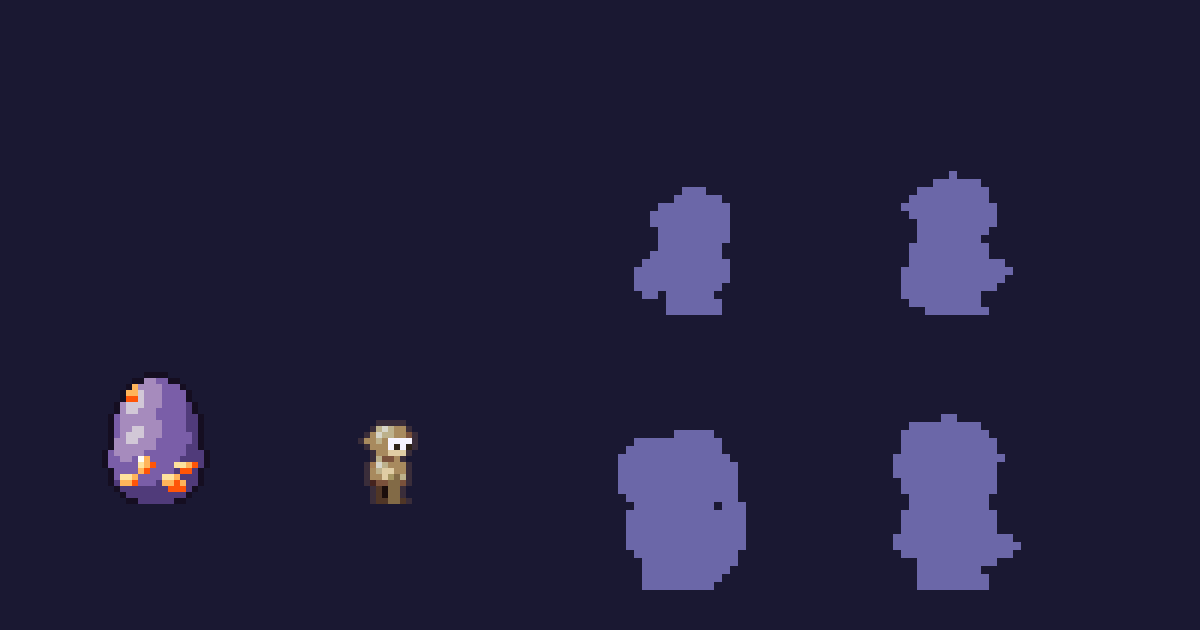
Fredon, by Grimoire64, comes from the Music series devoted to lo-fi: a valley marmot humming all evening, a steaming mug at the end of its arm. Its blanket, rolled on its back at first, ends up as braided headphones over its ears or a hood pulled down. Its triggers include ☕, 🎵, ✨ and "zzz": just right for the coffee break.
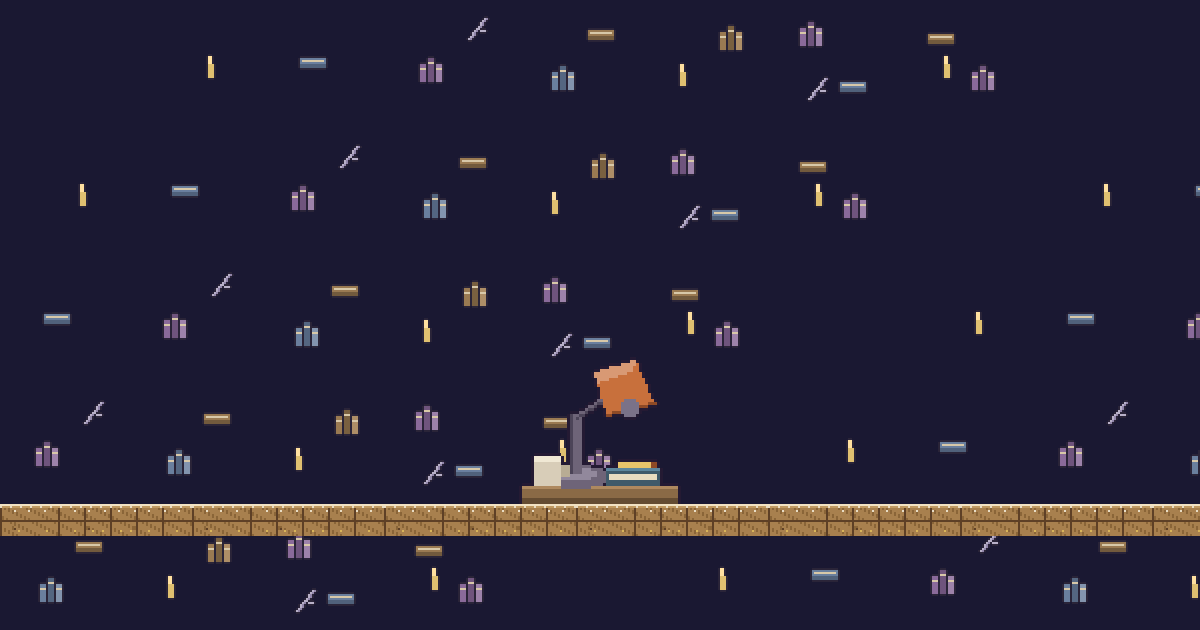
Loupiote is a desk lamp leaning over a closed notebook, a mug beside it: with every new follow, the bulb switches on and its warm pool of light spreads over the desk. For the background, Bruine sends streaks of rain down a window pane, and Ululot, Plaid7's owl perched behind a misty window, reacts to "pluie" and 🕯️, among others.
Grimoire64 and Plaid7 are pen names of the LiveGotchi studio, which drew the launch collection and what came after. Everything is in the directory, and evolutions are explained in How a creature evolves. If your work sessions are drawing sessions, read the guide to drawing live on Twitch too.
Frequently asked questions
What is a study with me stream?
A stream where you study or work on camera, with a timer on screen, so your audience can work at the same time as you. Twitch files it under the Co-working & Studying category.
Which Pomodoro rhythm works for a stream?
The classic Pomodoro alternates work blocks with short breaks. Many streams use longer blocks, for example fifty minutes of work for ten of break. What matters is keeping the same rhythm from one stream to the next.
Should you talk during a study with me stream?
Little during work, a lot during breaks. The silence of the work blocks is the whole point of the format; breaks are for chat, goals and encouragement.
Does the LiveGotchi creature distract from studying?
It stays in its corner of the overlay and makes no sound. During silent blocks, it barely moves; it's at the break, when chat starts talking again, that it reacts the most.
What happens to the creature during weeks without streaming?
It sleeps. Off air, it doesn't age, and time counts neither for its stats nor for its evolutions: you'll find it exactly where you left it.