
Streamers · Seasons · Halloween
Halloween Stream Ideas: Get Your Chat Screaming With You
A great Halloween stream isn't about the scariest game. It's about what chat gets to do while you're scared: bet on your screams, pick the next door, cast a curse. Pick one format (horror stream, costume night or cozy candlelit hangout), give chat three or four rituals that fit in a sentence, dress up your overlay without burying the game, and have everything ready two weeks before October 31 — a Saturday in 2026.
- One clear format: horror, costume or cozy. Mix all three and you lose everyone.
- Three chat rituals you can explain in one line: a scream counter, a prediction, a trick-or-treat redeem.
- An overlay that reacts: a few pieces that respond to the stream beat a screen full of cobwebs.
- A countdown plan: announcement, decor, sound check, then the night itself.
Which kind of Halloween stream should you do?
Three formats work, and each one pulls a different kind of chat.
The horror stream. The classic: a game that makes you jump, ideally co-op, because other people's panic clips even better than your own. Chat lives for the moment you scream. Your job is to give them a stake in it.
The costume night. The game takes a back seat — people come to see you. Even a thrown-together costume (plastic fangs, a bedsheet with eyeholes, makeup gone wrong but worn with total confidence) changes the energy. It suits Just Chatting: a costume parade, a chat vote, scary stories read in a low voice.
The cozy candlelit hangout. Soft Halloween: pumpkins, hot chocolate, a relaxed game with autumn vibes, lights down low. It's the format for people who can't stand jump scares, and there are a lot of them.
Pick one. A night that swings from cozy to gore to a costume contest loses part of chat at every turn.
How do you get chat involved in a horror stream?
Watching someone be scared gets old fast. Having bet on their fear is a reason to stay until the end. These rituals each fit in one sentence, so a viewer who just arrived gets them right away.
- The scream counter. A mod keeps the count on screen. Every scream bumps it up, and chat waits for the next one like a goal.
- Tonight's prediction. Use Twitch predictions: "Does he scream before the first door?" or "Can she finish the chapter without the flashlight?" Once channel points are on the line, every dark hallway feels endless.
- Trick or treat. Two channel point redeems. Treat: a compliment, a shoutout, an emote of their choice. Trick: a gentle handicap for the next minute — play muted, read the next message in a ghost voice, no running.
- Chat picks the door. A poll at every fork: left or right, basement or attic. When it goes wrong, it's chat's fault, and chat loves that.
- Lights-out minute. At midnight sharp, kill the room lights and leave a single candle or small lamp on. Announce it at the start of the stream: it's an appointment, and people stay for appointments.
- The midnight raid. End by sending your chat to another horror streamer. Give them a heads-up: a planned raid keeps the night going instead of ending it.
The best moment of the night can't be scheduled: it's the scream nobody saw coming. Keep a mod ready to clip it, and post the clip the next day.
How do you decorate a Halloween overlay without cluttering the screen?
The temptation is a cobweb in every corner. The problem: horror games are already dark and busy, and a blinking overlay on top makes them unreadable.
Three simple rules:
- One background, one floor, two or three objects. A night sky behind, creaky floorboards in front, a candlestick or a portrait. That's it.
- Objects that react rather than objects that never stop moving. A portrait whose eyes light up on each follow is a surprise. A bat that loops for three hours becomes invisible.
- Colors that let the game breathe. Orange and purple as accents, never as a full-width band.
Update what people see before they click, too: banner, title and category the week before, so your channel says Halloween to anyone who stumbles onto it.
When should you start preparing your Halloween stream?
October 31, 2026, is a Saturday: a night people can stay up late, and one a lot of streamers will be aiming for. Show up prepared.
- Three weeks out: lock the format and the game, and message the streamers you want to play with or raid.
- Two weeks out: set up the overlay decor, create the channel point redeems, write your prediction questions.
- One week out: announce the time everywhere — stream title, socials, channel panels — and swap the banner.
- The day before: full test run. Game audio against your mic, alerts, the lighting for the lights-out minute.
- On the night: one mod on the counter, one on clips. You handle being scared.
In 2024 and 2025, Twitch also ran its own Halloween event, Fright Fest, in late October, with emotes unlocked by streaming together (Stream Together, Shared Chat). Keep an eye on the Twitch blog in early October to see whether it's back.
What mistakes should you avoid on a horror stream?
- The ear-splitting jump scare. A full-volume scream in someone's headphones is a closed tab. A limiter on the game audio fixes it for good.
- Unannounced flashing. Some horror games are full of strobe effects. Put a warning in the title for photosensitive viewers.
- The missing label. A gory or adult-rated game calls for Twitch's content classification labels. They protect your channel as much as your viewers.
- Copyrighted music. A famous horror soundtrack in the background is the fastest way to get your VOD and clips muted.
- The costume that punches down. Anything that caricatures a culture or a group turns the night into drama. Stick to monsters.
- The ritual nobody understands. If it takes three messages to explain, nobody will do it.
What about a creature in your overlay?
This is our thing, so let's be straight: a LiveGotchi creature doesn't know it's October 31, and nothing changes by itself on the date. What does exist is a nighttime bestiary already in the directory, plus decorations that react to your stream.
The launch collection and its series were drawn by LiveGotchi under creator pseudonyms. One of them, Nyctale, has an entire midnight bestiary: ghosts, will-o'-the-wisps, lanterns, a vampire, a white lady.
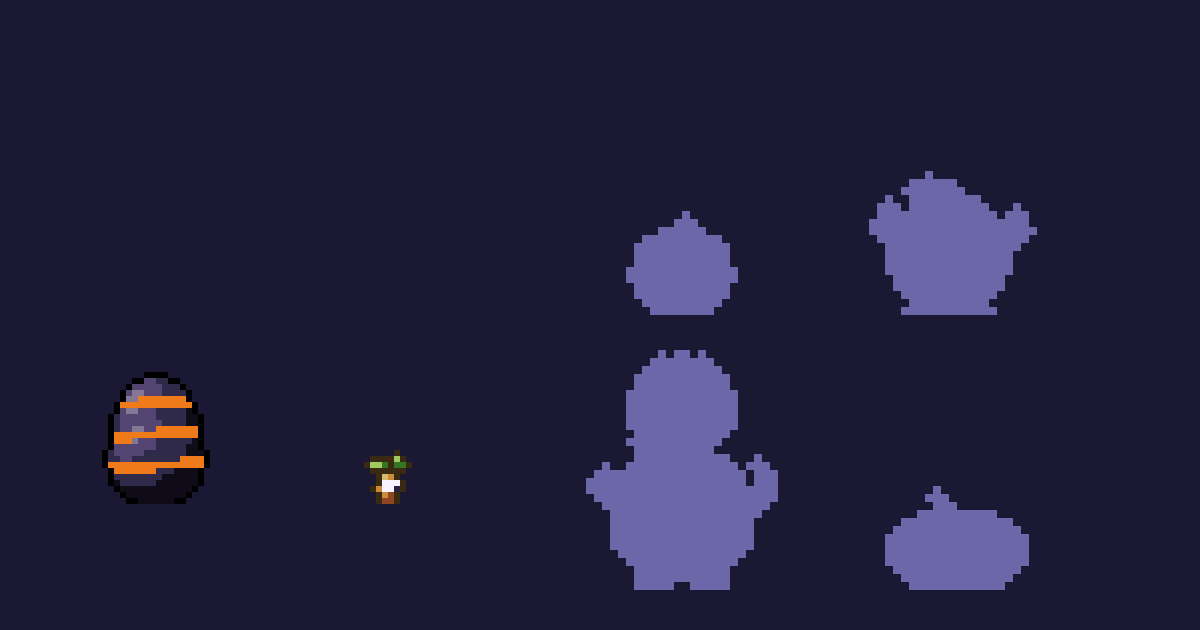
Citrouillot, by Nyctale — a seed that grows into a grinning lantern, sprouts tendrils, climbs onto a second pumpkin and ends up crowned. 🎃 is one of the keys that wake it up: the full list is on its page, under "What wakes it up". What each key actually triggers is something you find out live.
Around it, the rest of the night:
- Creatures: Drapichon, the little bedsheet ghost; Vesper, the caped vampire, whose keys include "boo" and 😱; Effraie, the white lady, with nine stages, three endings and a death knell that shakes the screen; plus Chauvelune, Crapotion, Épouvanteau and Flammèche.
- Decorations that react: Psyché, a mirror a ghost walks through on every raid; Bougeoir, a candlestick whose flames grow when chat pops off.
- Set dressing: the creaky manor floor Craque, the Minuit night sky as wallpaper, or the Caveau crypt floor from Nyctale's music series, forgotten skull included.
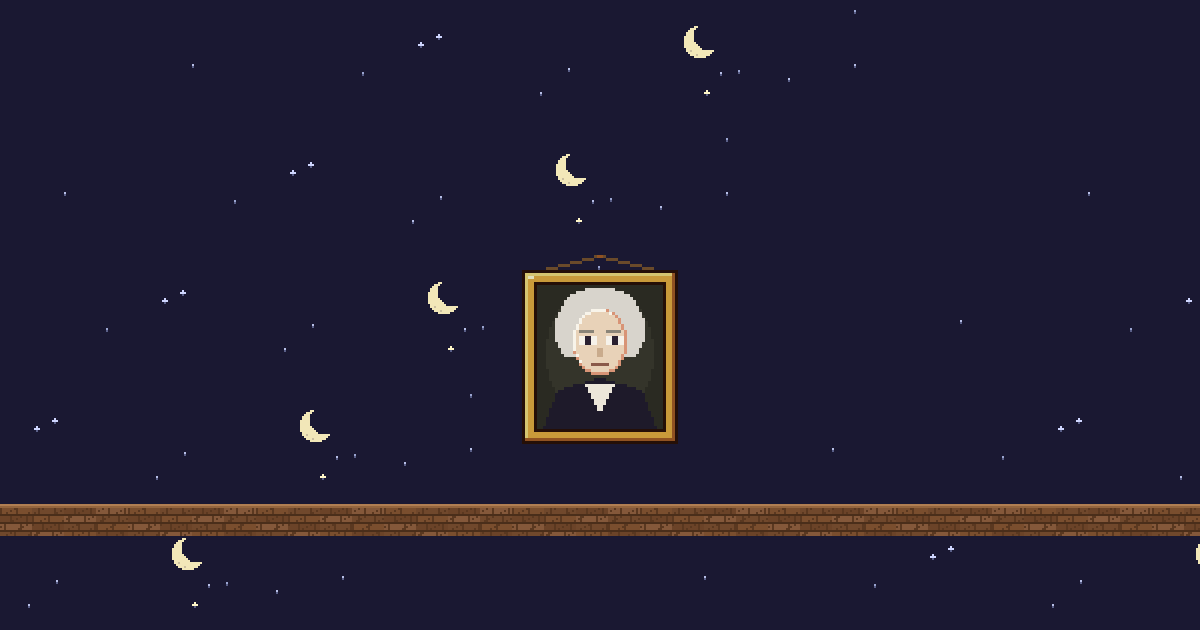
Ancêtre, by Nyctale — a gilt-framed portrait. With every new follower, its eyes sweep the room, its gaze turns red and its mouth creaks open. It's the kind of reaction you notice mid-horror game, precisely because it happens when you aren't looking.
What that changes on the night:
- The creature reads chat. When a message contains one of its keys, it plays the matching emotion for eight seconds. The same emotion can't replay within twenty seconds, and at most six moods fire per minute, so a flood of 🎃 won't make it flicker.
- Decorations count the stream. Each one watches a single event family — follows, chat pace, energy (bits and donations), subs or raids — and wakes up at its threshold. Details in what your creature does when chat pops off.
- Several creatures, one source. On the Stream page, check the other creatures from the Nursery and they live together in the same OBS source. The address changes with your selection, so paste the new one into OBS.
- A long night counts. Creatures grow with hours on air: a full Halloween night adds hours that bring the next evolution closer.
You build the scene in the Scene tab of the Stream page, with the mouse, on a preview where the creature actually moves: see build your OBS overlay with drag and drop. On November 1, the decor comes down the same way.
Frequently asked questions
Do you need a horror game for a Halloween stream?
No. Costume nights and cozy candlelit streams work just as well, especially for a Just Chatting community. What matters is one clear format and rituals chat understands the moment they arrive.
When should you start preparing a Halloween stream?
Three weeks ahead for the format, guests and game; two weeks for decor and redeems; one week for the announcement. The day before, run a full test of audio and alerts.
How do you keep jump scares from hurting viewers' ears?
Put a limiter on the game audio in your streaming software, then check the level in headphones during your test run. The scream stays funny without being painful.
Can you change your overlay decor on the night itself?
Yes. In the Scene tab of the Stream page you add or remove decorations, floor and wallpaper, then save: the same OBS source shows the new scene without changing its address.
Does a LiveGotchi creature react to Halloween emojis?
Only to the ones its creator put in its map. Each creation's page lists its keys under "What wakes it up": 🎃 for Citrouillot, "boo" and 😱 for Vesper, for example.